
I didn’t plan to write a Hostinger website builder review 2026.
I just wanted to build a simple website. That’s it. No business plan, no big goal. Just curiosity.
But the moment I started… things got confusing faster than I expected.
If you’re looking for a Hostinger website builder for beginners in 2026, this is my honest, slightly messy experience—no coding, no fluff.
Why I Even Started Building a Website
I’ll be honest: I had zero idea how websites actually work.
I used to think, “People who build websites must know coding.” So I avoided it for a long time.
Then one random night, I thought, “Let me just try this once.”
Worst case? I fail and move on.
The Confusion That Wasted My Time
This part… honestly, I wish someone had explained it earlier.
Hosting vs. Website Builder.
I didn’t understand anything.
- Some videos said: “Buy hosting first.”
- Others said: “Use a builder.”
- Some said both.
I opened like 8–10 tabs. Watched videos for 2–3 hours. And somehow, I became more confused.
At one point, I had like 6 tabs open — templates, tutorials, random designs — and I realized I hadn’t actually built anything for almost an hour.
That’s when I kept seeing people mention Hostinger website builder for beginners. So I stopped overthinking and just tried it.
What is Hostinger Website Builder? (Simple Explanation)
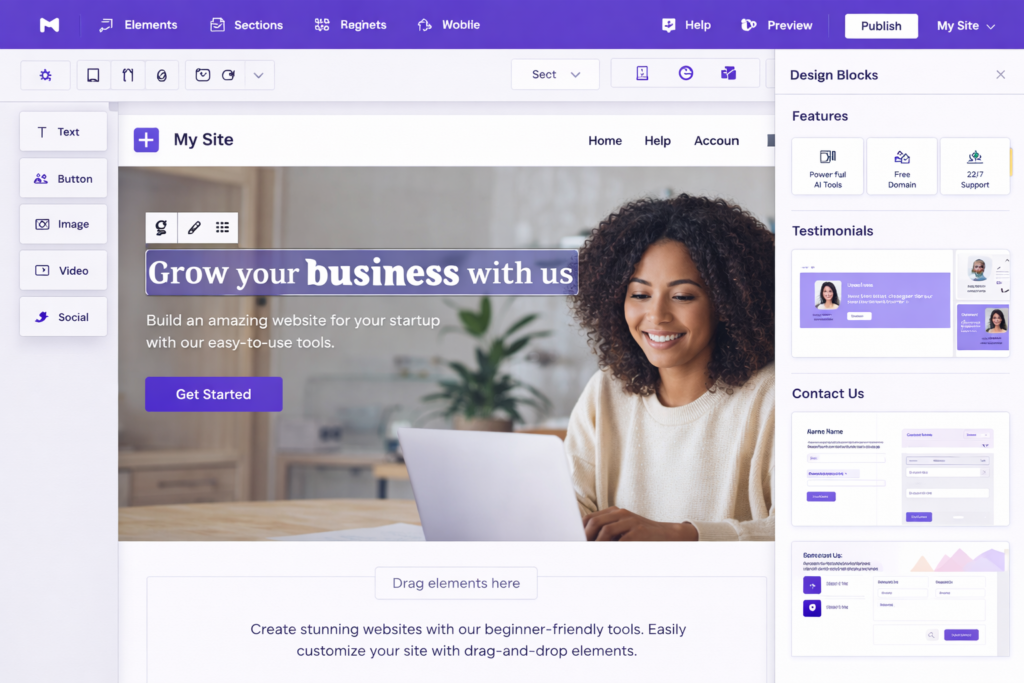
If I explain it simply… it felt like playing with blocks.
No coding. No technical stuff. You just pick a design, change the text, drag sections, and publish.
That’s what I thought.
Reality… was a bit messier at first.
My First Experience (Honestly… It Was a Mess)
Staring at a Blank Editor
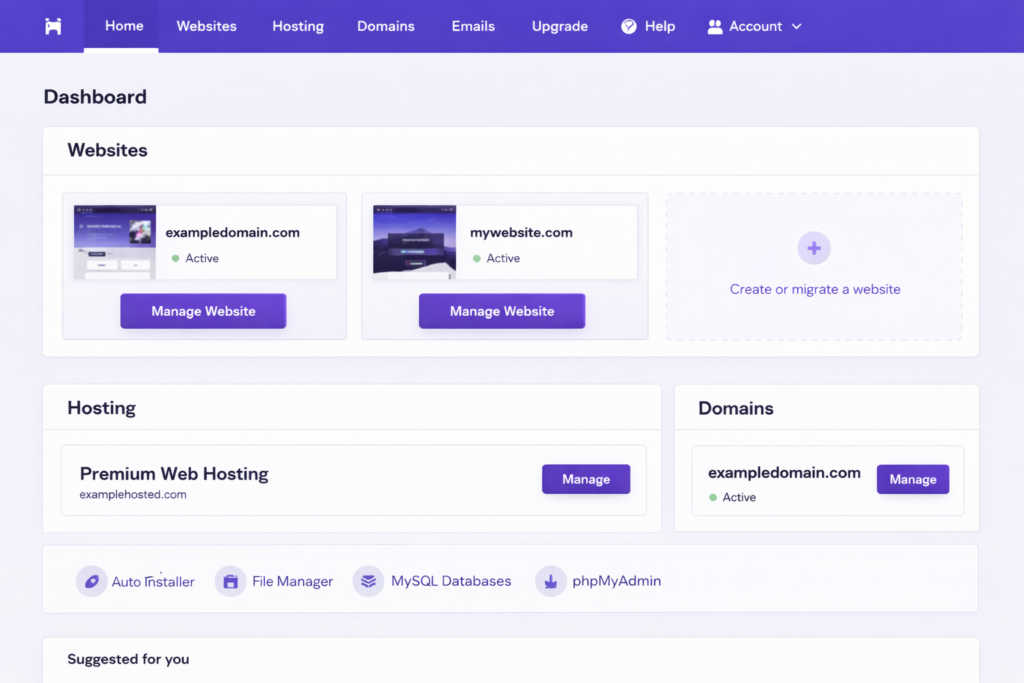
I didn’t expect this feeling. After signing up, I opened the builder… and just stared.
There were buttons, sections, menus… everything. But I didn’t know where to click.
I literally clicked random things for 10 minutes. Nothing made sense.
Choosing the Wrong Template (Big Mistake)
This is where I messed up. I picked a template just because it looked “cool.” Dark theme, animations, fancy design.
It looked amazing. But it didn’t match what I wanted at all. So I had to restart.
👉 If you’re reading this Hostinger website builder review 2026, take your time choosing a template. It matters more than you think.
Where I Struggled the Most
I Kept Changing Everything
Fonts, colors, layout… nothing felt right. And I noticed something strange: when my website looked bad, I didn’t even feel like working on it. My motivation dropped instantly.
Too Many Options = Slow Progress
At first, I thought “more features = better.” But too many options made me stuck. I kept thinking, “What if this looks better?” and kept changing things again and again.
Small Things Felt Like Big Problems
Text alignment not perfect. Spacing looking weird. Mobile view breaking. These are small issues… but when you’re new, they feel HUGE.
What Started Working (Small Wins)
After some time, something changed. Not suddenly. Slowly.
I Stopped Trying to Be Perfect
This helped the most. I didn’t even care if it looked perfect anymore — I just wanted something live. Instead of fixing every detail, I focused on: “Is this usable?” That mindset shift changed everything.
AI Tools Actually Helped (Didn’t Expect This)
I didn’t expect much from AI features. But when I got stuck, they helped me generate text, suggest layouts, and fix basic structure.
Now I understand why people search for a Hostinger AI website builder review—because for beginners, this actually matters.
Hostinger Website Builder Pricing (Realistic for 2026)
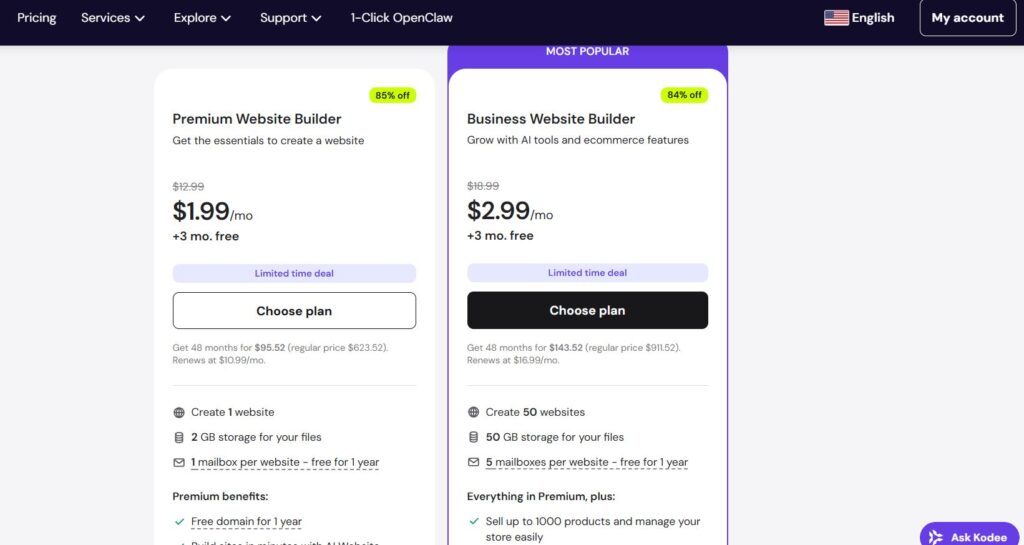
At this point in my Hostinger website builder review 2026, things started making more sense—especially when I checked the pricing.
I actually looked inside my dashboard (screenshot below), and this is what I saw:
- Around ₹199/month (≈ $2.99) → basic level
- Around ₹299/month (≈ $3.99–$4.99) → business plan
I even refreshed the pricing page twice because I thought I missed something 😅
👉 Includes:
- Free domain (1 year)
- Hosting
- Website builder
- AI tools
At first, I thought, “Why is this so cheap?” I honestly expected hidden costs.
My Thought Process
I was going to pick the cheapest plan. Then I paused. “If I’m already doing this… why not do it properly?”
So I leaned towards the higher plan. Not because it’s fancy… but because I didn’t want to feel limited later.
👉 [Check Latest Price & Discount on Hostinger (Limited Offer)]
Prices keep changing often, so it’s worth checking before it increases.
Is It Worth It?
For me? Yeah.
Not because it’s perfect. But because it removed the confusion. And honestly… for beginners, that’s everything.
After using it for a while, I can say this Hostinger website builder review 2026 wouldn’t be complete without admitting—it’s not the fanciest tool, but it actually helped me launch.
If you’re completely new, this Hostinger website builder for beginners setup is honestly easier than most tools I tried.
Pros and Cons (Honest)
What I Liked
- Simple after the initial confusion
- Clean dashboard
- AI tools actually useful
- Fast setup
What Annoyed Me
- Too many design choices
- Some templates feel similar
- Mobile editing needs patience
My Current Setup
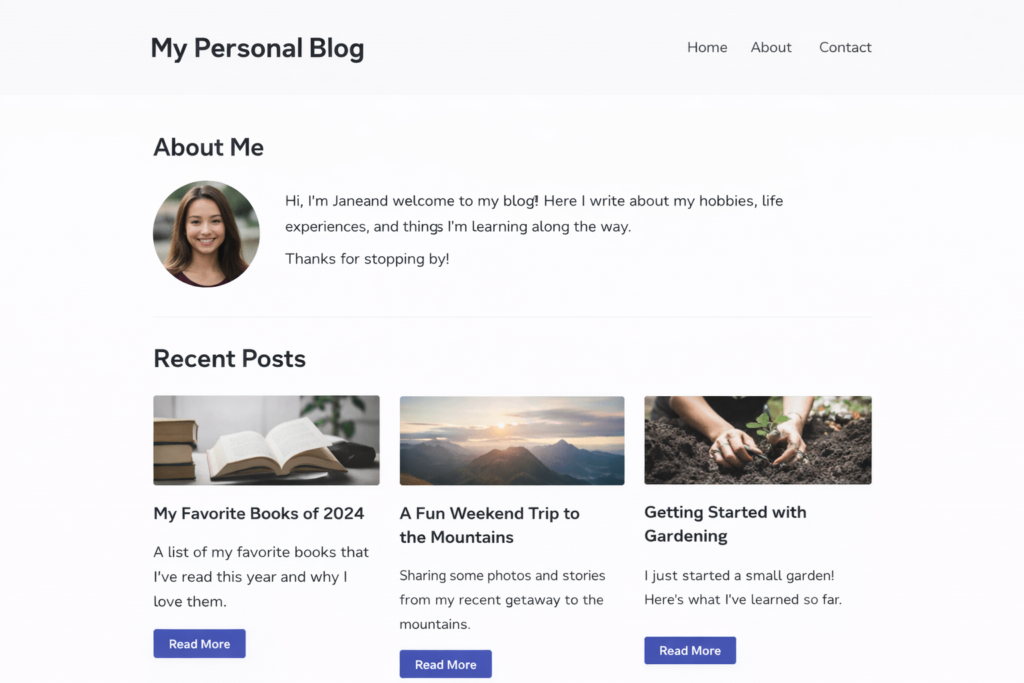
Right now, my site is very simple. Nothing crazy. Just a homepage, an about page, and one blog section.
That’s it. But seeing it live? That feeling is different. Hard to explain.
Mistakes I Made (Important)
I made a lot 😅
Here are the main ones:
- Picked the wrong template
- Tried to make everything perfect
- Watched too many tutorials
- Didn’t publish early
👉 If you avoid these, you’ll move much faster than me.
If I Had to Start Again (My Exact Plan) 🔥
I would keep it VERY simple. No overthinking.
Step 1:
Buy the better plan directly (no confusion later).
Step 2:
Choose a clean, simple template (not fancy).
Step 3:
Change only the text and images.
Step 4:
Publish within 1 day.
That’s it. No perfection. Just done.
Who Should Use This (And Who Shouldn’t)
✅ Good for:
- Beginners (this is truly a Hostinger website builder for beginners)
- Students
- Small projects
- People who hate coding
❌ Not for:
- Advanced developers
- Complex websites
- People who want full control
Final Thoughts
Overall, this Hostinger website builder review 2026 comes down to one thing — simplicity over perfection.
This review isn’t from an expert. It’s from someone who got confused, wasted time, made mistakes, and then slowly figured things out.
And honestly, that’s probably closer to real life than most reviews.
If you’re searching for a Hostinger website builder for beginners, this is one of the easiest ways to actually start. Not perfect. But it works.
👉 While building this, I also tested some AI tools to help with content. If you’re curious, you can check my guide on best AI tools for beginners—it might save you time too.
FAQs
Is Hostinger website builder good for beginners?
Yes… but expect some confusion at first. I struggled for the first 30–40 minutes, then it got easier.
Can I build without coding?
Yes. That’s the whole point.
Which plan should I choose?
The cheapest for testing, the higher plan if you’re serious.
How fast can I launch?
If you don’t overthink… 1 day.
About the Author
Hi, I’m Sam. I’ve been testing website builders and hosting platforms as a beginner. I don’t share theory — only what actually worked (and what didn’t).
I’m still learning… but this is working for me right now.