
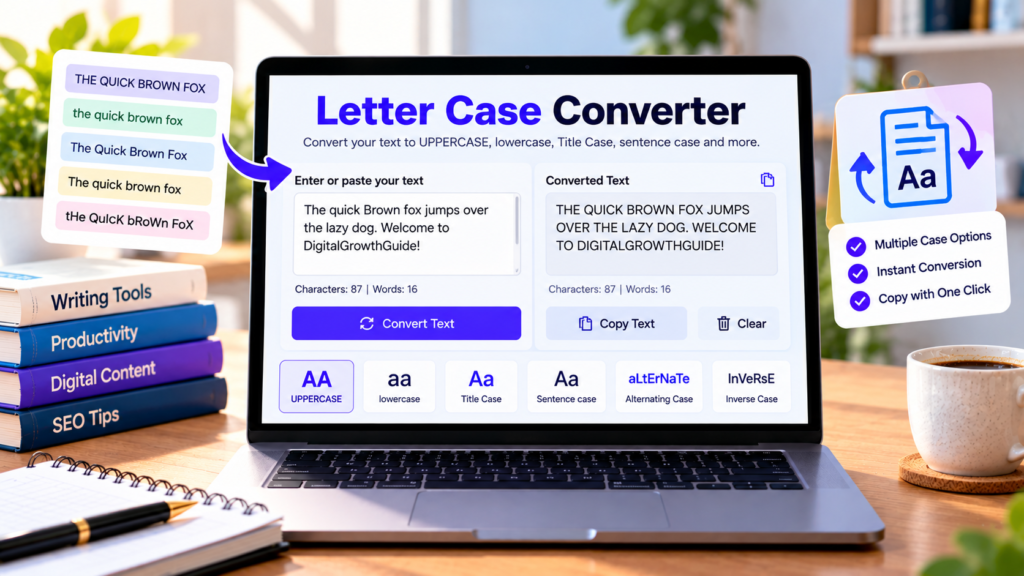
Need to change text from uppercase to lowercase or format headings without rewriting everything? Our free letter case converter makes it easy to transform text into different letter styles in seconds. Paste your content, choose a case option, and copy the converted result for your document, blog post, email, or social media caption.
Whether you are a student, blogger, content writer, or website owner, this text case converter can help you format text more efficiently.
Free Letter Case Converter
Convert text to uppercase, lowercase, title case, and more.
Choose a case style to convert your text.
What Is a Letter Case Converter?
A letter case converter is an online tool that changes the capitalization of text. Instead of editing every letter manually, you can apply a formatting style to an entire block of text with one click.
For example, you can change “welcome to my website” to “WELCOME TO MY WEBSITE” using uppercase, or transform “WELCOME TO MY WEBSITE” into “welcome to my website” using lowercase.
Different case styles are useful for headings, sentences, labels, titles, documents, and online content. Our converter includes six options to help you format text for different purposes.
How to Use the Text Case Converter
Using this free letter case converter online is simple:
- Enter your text or paste it into the text box.
- Choose the case style you want to apply.
- Review the converted text in the same text area.
- Select Copy Text to copy the result.
- Use Clear Text when you want to start with new content.
The tool also displays word, character, and line counts to help you review your text. Conversion happens in your browser, so the tool’s code does not intentionally upload the text to a server.
Different Types of Letter Case
1. Uppercase
Uppercase converts all letters to capital letters. For example, “free online tools” becomes “FREE ONLINE TOOLS.” This style can be useful for short labels, abbreviations, and headings where capital letters are appropriate.
2. Lowercase
Lowercase converts letters to small letters. For example, “WELCOME TO OUR WEBSITE” becomes “welcome to our website.” It is useful when you need consistent lowercase text or want to correct text that was accidentally typed with Caps Lock enabled.
3. Title Case
Title Case capitalizes the first letter of words while converting other letters to lowercase. For example, “free online writing tools” becomes “Free Online Writing Tools.”
Title capitalization rules vary between publishers and style guides, particularly for short words such as “and,” “of,” and “the.” Always review important titles after conversion.
4. Sentence Case
Sentence case capitalizes the beginning of sentences while keeping most other letters lowercase. For example, “WELCOME TO OUR WEBSITE. EXPLORE OUR TOOLS.” becomes “Welcome to our website. Explore our tools.”
This style is commonly used for normal paragraphs, descriptions, and readable website copy. Check abbreviations and special names after conversion.
5. Alternating Case
Alternating case changes the capitalization of successive letters to create a mixed-case style. It is mainly useful for playful text, creative captions, and informal social media content rather than professional documents.
6. Inverse Case
Inverse case switches the capitalization of letters that are already uppercase or lowercase. For example, “Hello World” becomes “hELLO wORLD.” It can help reverse text that was accidentally typed in the wrong capitalization style.
Who Can Use a Letter Case Converter?
Students: Format headings, notes, assignments, and study materials.
Bloggers and SEO writers: Adjust article headings, draft titles, and text snippets before publishing.
Social media users: Create alternative text styles for captions and informal posts.
Website owners: Standardize labels, descriptions, headings, and other content.
Office professionals: Quickly reformat text copied from spreadsheets, documents, emails, or reports.
Benefits of Using an Online Case Converter
The main benefit is speed. Changing capitalization manually can take time, especially when working with long paragraphs or repeated text. A text case converter applies a consistent transformation quickly.
It also reduces repetitive editing and makes it easier to try different formats. However, automatic capitalization cannot understand every proper noun, acronym, abbreviation, or editorial style. Review the output before publishing or submitting important content.
Frequently Asked Questions
Is the letter case converter free?
Yes. You can use the conversion options on this page without paying for the tool.
Can I convert uppercase text to lowercase?
Yes. Paste your text and choose the lowercase option to convert all letters to lowercase.
Does the tool count words and characters?
Yes. Word, character, and line totals update as you type or convert text.
Does it work on mobile devices?
The tool is designed to adapt to mobile screens and modern desktop browsers.
Is converted text automatically saved?
No. The tool does not provide a permanent save feature. Copy your result and paste it into your preferred document or application.
Conclusion
Our free online letter case converter helps you change capitalization without manually editing every letter. Choose uppercase, lowercase, Title Case, sentence case, alternating case, or inverse case to format your text quickly. For the best results, review converted text carefully, especially titles, names, abbreviations, and professional content.
Explore More Free Text Tools
Format, edit, and improve your text with these free online tools.
Explore All Free Tools →