
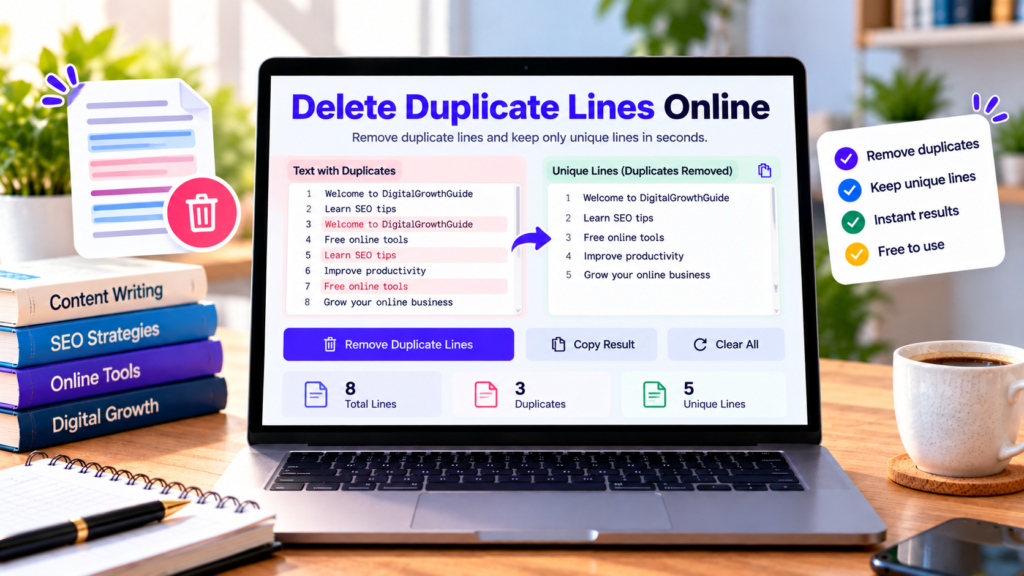
Working with long lists, copied text, keywords, or data can sometimes leave you with repeated entries. Removing each duplicate manually can be slow and frustrating. Our free delete duplicate lines online tool helps you remove repeated lines from text and keep a cleaner list in seconds.
Paste your content into the tool, select the options you need, and generate a list containing unique lines. You can copy the result and use it in documents, spreadsheets, keyword lists, or other projects.
Delete Duplicate Lines Online
Remove repeated lines and keep only unique text in seconds.
Paste your list and select Remove Duplicate Lines.
What Is a Duplicate Line Remover?
A duplicate line remover is an online text utility that identifies repeated lines and keeps only one occurrence of each line. For example, a list containing the same keyword several times can be cleaned to retain a single copy of that keyword.
This can be useful when working with lists of names, URLs, search terms, product identifiers, email addresses, or other text entries. The tool also offers options to ignore capitalization differences, remove blank lines, and sort the final list alphabetically.
How to Delete Duplicate Lines Online
Using this duplicate line remover is simple:
- Copy your list or text.
- Paste it into the input box.
- Choose whether capitalization differences should be ignored.
- Decide whether to trim spaces around lines or remove blank lines.
- Enable alphabetical sorting if you want an ordered list.
- Select Remove Duplicate Lines.
- Review the unique lines and copy the result.
The tool displays the original line count, the number of unique lines, and the number of lines removed. This makes it easier to check how much duplication was present in your original list.
Why Remove Duplicate Lines?
Clean keyword lists: SEO professionals and content creators can remove repeated keyword entries before organizing research data. Always review the resulting list before using it for keyword analysis.
Organize data: Repeated names, labels, URLs, or other entries can make lists difficult to manage. Removing duplicates helps create a cleaner working list.
Improve text readability: Duplicate lines can make notes, copied content, and plain-text documents unnecessarily long. A duplicate remover helps eliminate repetition.
Save editing time: Instead of comparing each line manually, you can process a list in one step.
Prepare lists for other tools: Unique lines can be copied into spreadsheets, text editors, content management systems, and other applications.
Understanding the Duplicate Removal Options
Ignore uppercase and lowercase differences
When this option is enabled, entries such as “Apple” and “apple” are treated as duplicates. When disabled, they are treated as different lines.
Ignore spaces around lines
This option removes leading and trailing spaces before comparing entries. For example, “hello” and “ hello ” are treated as duplicates when trimming is enabled.
Remove blank lines
Enable this option to remove empty or whitespace-only lines. Leave it disabled if you need to preserve blank lines in your text.
Sort lines alphabetically
Sorting arranges the resulting unique lines alphabetically. If sorting is disabled, the tool preserves the order of the first occurrence of each unique line.
How Does Duplicate Line Removal Work?
The tool reads your text line by line and creates a record of entries it has already encountered. When it encounters a duplicate according to your selected settings, it skips that line. Otherwise, it adds the line to the result.
For example, if your input is:
apple
banana
apple
orange
banana
The unique output becomes:
apple
banana
orange
If you choose alphabetical sorting, the output is arranged alphabetically after duplicates are removed.
Is It Safe to Use an Online Duplicate Remover?
This tool performs duplicate checking in your browser, and its code does not intentionally upload your text to a server. Other website components or installed scripts may work independently, however. Avoid pasting confidential or sensitive information into an online tool unless you understand the website’s privacy practices.
Frequently Asked Questions
Is this duplicate line remover free?
Yes. You can use the duplicate removal feature on this page without paying for the tool.
Does it preserve the original order?
Yes. By default, the first occurrence of each unique line is preserved in its original order. Alphabetical sorting is optional.
Can it ignore capitalization?
Yes. Enable the option to ignore uppercase and lowercase differences.
Can I remove blank lines too?
Yes. Select the Remove Blank Lines option before processing your text.
Does it save my text?
The tool does not provide a permanent save feature. Copy your cleaned result and store it in your preferred document or application.
Conclusion
Our free online duplicate line remover makes it easier to clean repeated entries from text and lists. Paste your content, choose the appropriate options, remove duplicates, and copy the unique result. For important data, review the output before using it in your next project.
Explore More Free Text Tools
Clean, format, and organize your text with these useful tools.
Explore All Free Tools →