
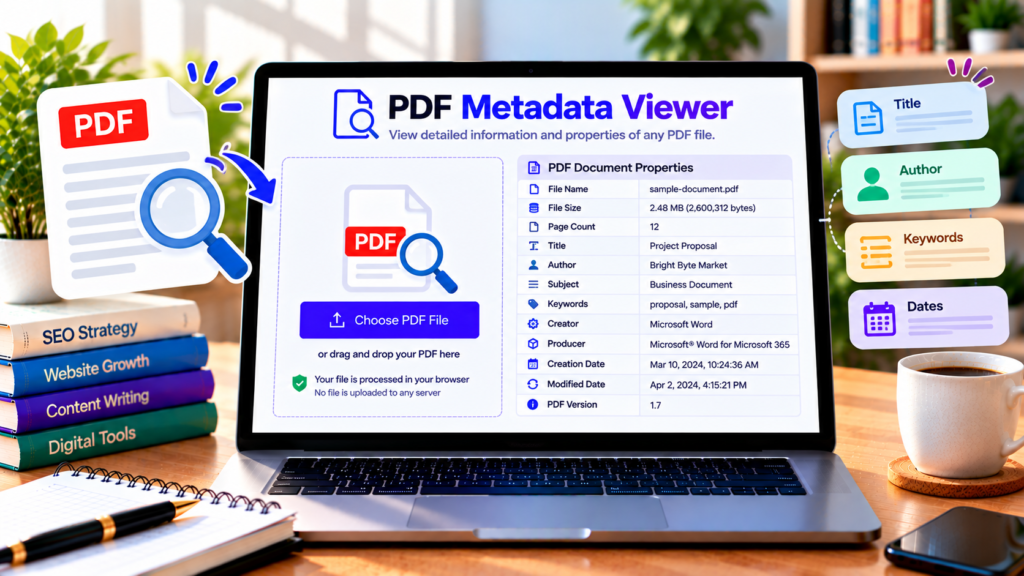
Want to know who created a PDF, when it was created, or what title is stored in the document? A PDF Metadata Viewer helps you inspect the information embedded in a PDF file without manually searching through its pages.
DigitalGrowthGuide’s PDF Metadata Viewer is designed to display common document properties directly in your browser. Select a PDF, inspect the available metadata, and copy or download the results for your records.
Free PDF Metadata Viewer
View the information stored in a PDF, including its title, author, dates, page count, and other available document properties.
Document Properties
Some properties may be missing if they were not saved in the PDF. Metadata can be edited and is not proof of document authenticity.
How to View PDF Metadata Online
You can inspect a PDF’s properties in a few simple steps.
Step 1: Select your PDF. Open the PDF Metadata Viewer and choose a PDF file from your device. The tool supports files up to the displayed 50 MB limit.
Step 2: Read the metadata. Click the View PDF Metadata button. The tool attempts to read the document’s available properties and display them in a table.
Step 3: Review the details. Check information such as the title, author, subject, keywords, creator, producer, creation date, modification date, page count, and file size.
Step 4: Export the results. Use the copy option to place the displayed information on your clipboard, or download the metadata table as a CSV file for further review.
Not every PDF contains every property. If a field is missing, the document may not have that information recorded.
What Is PDF Metadata?
PDF metadata is information that describes a document rather than the main text displayed on its pages. Depending on the PDF, it may include a document title, author, subject, keywords, software used to create the file, and creation or modification dates.
Metadata can help people organize files, identify documents, search collections, and understand how a document was prepared. For example, a folder containing hundreds of reports is easier to manage when each PDF has a meaningful title and descriptive keywords.
Metadata is not the same as the visible content of a PDF. A document can display a title on its first page while having no title saved in its internal properties.
What Information Can a PDF Metadata Viewer Show?
Title and author: These fields can help identify the document and its stated author. They may be blank or contain outdated information.
Subject and keywords: These properties can describe a document’s topic and make it easier to categorize related files.
Creator and producer: Creator information may identify the application used to create the original document, while producer information may identify software involved in generating the PDF.
Creation and modification dates: These fields can indicate when the document was recorded as created or modified. Their accuracy depends on how the PDF was generated and edited.
Page count and file size: These practical details help you understand the document’s length and storage requirements.
PDF version: When available, the PDF version can provide useful technical context for compatibility and document processing.
Why Is PDF Metadata Useful?
PDF metadata is useful for students, office workers, researchers, publishers, and anyone who manages digital documents. It can help organize reports, review submitted files, catalog research papers, and check whether document properties have been filled in appropriately.
Businesses can use metadata checks as part of a document-management workflow. Before sharing a PDF, for example, a team may review its title, author field, and other properties to make sure they are appropriate for the recipient.
Metadata can also reveal unexpected information. A PDF intended for a client might still contain an internal project title or an outdated author name. Reviewing the properties before sharing helps you notice such details.
However, metadata should not be treated as proof of authenticity. These fields can be changed, removed, or copied from another document. A creation date alone cannot prove when a file was originally written, and an author field does not independently verify identity.
Is It Safe to View PDF Metadata Online?
This tool is designed to process the selected PDF in your browser instead of intentionally uploading it to a separate document-processing server. As with any browser-based tool, confirm that the deployed version behaves as expected before using confidential files.
The viewer reads metadata; it does not automatically remove sensitive information or edit the document. If you need to change or remove metadata, use a suitable PDF editing tool and inspect the resulting file afterward.
Frequently Asked Questions
Can I view PDF metadata for free?
Yes. This tool is intended to let you inspect available PDF properties without creating an account.
Why are some metadata fields empty?
The PDF may not contain those fields, or the information may not be available in a form the viewer can read.
Can PDF metadata be edited?
Yes. Some PDF applications allow document properties to be edited. This viewer is intended for inspection and export, not metadata editing.
Does metadata prove who created a PDF?
No. Metadata can be changed and should not be used as independent proof of authorship or authenticity.
Check Your PDF Properties
Use DigitalGrowthGuide’s PDF Metadata Viewer to inspect the information stored in your PDF, understand its document properties, and export the available details for your records. Review the results carefully, especially before sharing documents with other people.
Helpful PDF Metadata Resources
- PDF.js Official Documentation – Learn about browser-based PDF parsing.
- PDF.js Document API – Reference for reading PDF document information and metadata.
- PDF-LIB PDFDocument Reference – Learn about common PDF properties, including title, author, creator, and dates.