
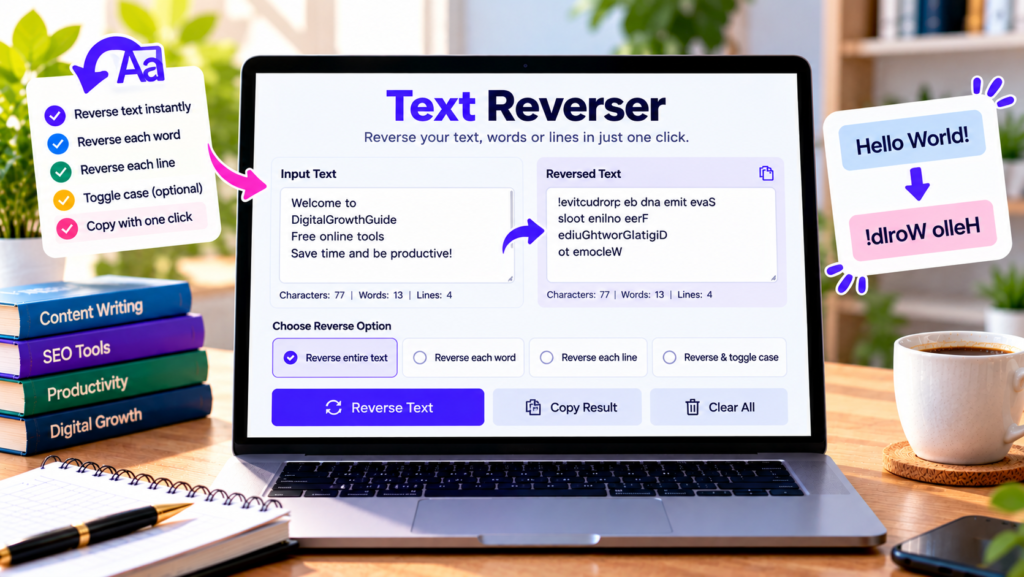
Want to reverse a sentence, flip the order of words, or reverse the letters in your text? Our free text reverser makes it easy to transform text in seconds. Paste your content, select a reversing option, and copy the result for your writing, coding, puzzles, or creative projects.
This online text reverse tool offers several ways to rearrange text without manually editing each character or word.
Free Online Text Reverser
Reverse text, words, or lines instantly with this free tool.
Enter text and choose a reverse option.
What Is a Text Reverser?
A text reverser is an online tool that changes the order of characters, words, or lines in a block of text. The exact result depends on the reversing method you select.
For example, reversing every character in “Hello World” produces “dlroW olleH.” Reversing the word order instead produces “World Hello.” These operations are different, so choosing the correct mode matters.
Our tool includes options to reverse all characters, reverse the letters within each word, reverse the order of words, and reverse the order of lines.
How to Use the Text Reverser Online
Using this free text reverser is simple:
- Type or paste your text into the input box.
- Select the reversing option you want.
- Click Reverse Text.
- Review the transformed result in the output box.
- Select Copy Result to copy the reversed text.
- Click Clear All when you want to start again.
The tool also displays word, character, and line counts. These statistics help you check the size of your text before and after using it elsewhere.
Different Ways to Reverse Text
1. Reverse All Characters
This mode reverses the complete sequence of characters, including spaces and punctuation. For example, “Hello World!” becomes “!dlroW olleH.”
It can be useful for text experiments, puzzles, and checking how character order changes.
2. Reverse Characters in Each Word
This mode reverses the letters within each word while leaving the words in their original positions. For example, “Hello World” becomes “olleH dlroW.”
It is useful when you want to reverse individual words without changing the overall word order.
3. Reverse Word Order
This mode rearranges the words from last to first while keeping the spelling of each word unchanged. For example, “Learn useful online tools” becomes “tools online useful Learn.”
This option can help with language exercises, text experiments, and word-order demonstrations.
4. Reverse Line Order
When your input contains multiple lines, this mode moves the last line to the top and the first line to the bottom. The content of each line remains unchanged.
It can be useful for rearranging lists, notes, or simple text blocks.
Who Can Use a Text Reverser?
Students and teachers: Use reversed text for language exercises, classroom demonstrations, and word-order activities.
Writers and content creators: Experiment with text arrangements for creative writing, puzzles, captions, and unusual text effects.
Developers: Reverse sample strings or line sequences when testing text-processing behavior. For production code, verify that the tool’s transformation matches your intended character-handling rules.
Puzzle enthusiasts: Create simple word and letter reversal challenges for games or learning activities.
Everyday users: Quickly reverse text without installing software or manually rearranging characters.
Does Reversing Text Change Its Meaning?
Reversing text changes its order, not its intended meaning in a reliable linguistic sense. A reversed string may become unreadable or accidentally form another sequence of characters. Reversing word order can also produce a sentence with different or unclear meaning.
If you plan to use the output in a document, message, or publication, review it carefully before sharing it.
Is This Online Text Reverser Safe?
The tool processes the text in your browser, and its code does not intentionally upload your content to a server. Other website components may operate independently, so avoid entering confidential information unless you understand the site’s privacy practices.
Frequently Asked Questions
Is the text reverser free?
Yes. You can use the text-reversing options on this page without paying for the tool.
Can I reverse only the word order?
Yes. Choose Reverse Word Order to rearrange words without reversing the letters inside each word.
Can I reverse multiple lines?
Yes. Choose Reverse Line Order to rearrange the order of lines in your text.
Does the tool save my text?
No permanent save feature is provided. Copy your result and save it in your preferred document or application.
Does it work on mobile devices?
The responsive interface is designed for modern mobile and desktop browsers.
Conclusion
Our free online text reverser provides a quick way to reverse characters, individual words, word order, or line order. Choose the mode that matches your goal, review the result, and copy your transformed text when you are ready. It is a simple utility for text experiments, puzzles, learning activities, and everyday editing.
Explore More Free Text Tools
Clean, format, and transform text with these free online tools.
- Letter Case Converter
- Remove Extra Spaces
- Line Break Removal Tool
- Delete Duplicate Lines
- Word Counter
- Character Counter