
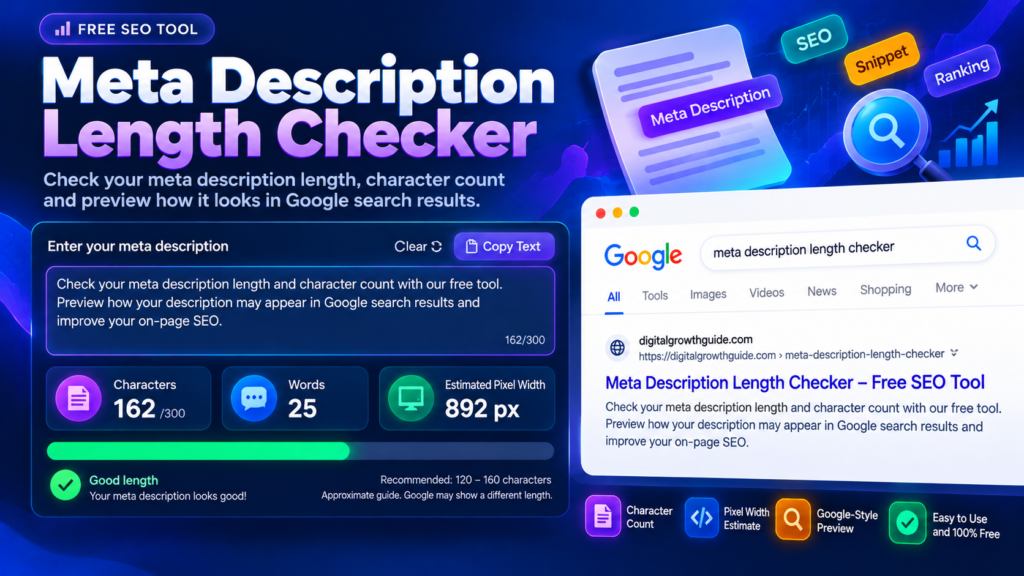
A Meta Description Length Checker helps you review your page description before publishing it. A well-written meta description gives people a quick idea of what they can expect from your page and may encourage them to visit your website. Use this free tool to count characters, review your wording, and preview how your description might appear in a search result.
Although Google does not guarantee that it will display your exact meta description, writing a clear and relevant summary is still a useful part of on-page SEO. The goal is to explain your content accurately rather than fill the description with keywords.
Meta Description Length Checker
Check your meta description’s character count, word count and estimated pixel width. Preview your text in a search-style snippet and refine the wording before publishing.
Tip: describe the page accurately and write for readers. There is no fixed character limit that guarantees a full Google snippet.
Enter a description to see its live analysis.
Important: Character and pixel measurements are editorial guides, not guarantees. Google may select different page text for a snippet depending on the search query and result layout.
What Is a Meta Description Length Checker?
A Meta Description Length Checker measures the length of your draft description and helps you identify wording that may need improvement. It is useful when preparing blog posts, product pages, service pages, landing pages, and other website content.
A meta description is a short summary associated with a webpage. Search engines may use it to create the snippet shown below a result’s title, although they can also generate a snippet from the page content when that better matches a search query.
Using a checker makes it easier to compare different versions of a description and choose one that is concise, relevant, and easy to understand.
How to Use the SEO Description Checker
Using this SEO description checker is straightforward:
- Enter your proposed meta description in the text field.
- Review the character count and available length indicators.
- Read the preview to check whether the description communicates the page’s main benefit.
- Remove unnecessary phrases and repeated keywords.
- Copy the revised description into your SEO plugin, such as Rank Math.
Try writing two or three versions when a description feels difficult to shorten. Comparing alternatives can help you find a better balance between useful information and readability.
Meta Description Character Counter: Why Length Matters
A meta description character counter helps you keep track of the text you write. Character counts are convenient, but there is no single character limit that guarantees a description will appear completely in every search result.
Google explains that snippets can be shortened to fit the available device width. The visible amount of text can therefore vary across devices and search queries. Treat any character guideline as a practical editing reference, not a strict Google requirement.
For more details, read Google’s official guide to controlling search result snippets.
Meta Description Pixel Width Checker and Search Preview
A meta description pixel width checker estimates the horizontal space occupied by text. Two descriptions with the same number of characters may have different widths because letters, numbers, spaces, and punctuation do not all occupy equal space.
A preview can help you spot a description that looks crowded or difficult to scan. However, an estimated width is not a guarantee of how Google will display your snippet. Actual results may differ based on the device, query, and content selected by Google.
When reviewing your preview, focus first on meaning. The opening sentence should identify the page’s subject, while the remaining wording can explain a practical benefit or what the visitor will find.
How to Write a Better Meta Description for SEO
A useful description should be unique, accurate, and written for people. Include the main topic naturally, then explain what makes the page relevant. If a visitor is looking for a calculator, for example, tell them what the calculator helps them do rather than repeating variations of the same keyword.
Avoid copying identical descriptions across many pages. A blog article, homepage, and tool page serve different purposes, so their descriptions should reflect their individual content. Google also recommends creating descriptive, page-specific summaries instead of long strings of keywords.
You can improve your wider SEO workflow with the Meta Title Length Checker, use the SERP Snippet Preview to inspect a simulated search result, and review keyword repetition with the Keyword Density Checker. These tools help with editing, but they do not guarantee higher rankings.
Common Meta Description Mistakes to Avoid
Some common mistakes can make a description less useful:
- Keyword stuffing: Repeated phrases can sound unnatural and make the summary harder to read.
- Generic descriptions: Explain what the specific page offers instead of using vague wording.
- Unnecessary filler: Remove words that do not add meaningful information.
- Duplicate summaries: Write distinct descriptions for important pages whenever practical.
- Misleading promises: Make sure the description accurately represents the content visitors will find.
A good description sets realistic expectations and helps users decide whether your page is relevant to their needs.
Frequently Asked Questions
What is the ideal meta description length?
There is no fixed character limit guaranteed by Google. Use a length checker as an editing aid, and prioritize a useful, concise summary over reaching a specific number.
Does meta description length directly improve rankings?
Length alone is not a ranking guarantee. A relevant description can help communicate a page’s value in search results, but Google may choose a different snippet.
Should every page have a unique meta description?
Whenever practical, write a description that reflects the individual page. Unique descriptions help distinguish your content and give searchers more relevant information.
Can this tool guarantee the exact Google snippet?
No. A preview is an approximation. Google may generate the displayed snippet from page content depending on the search query.
Final Thoughts
A Meta Description Length Checker is a helpful final step when preparing a page for publication. Use it to review your wording, remove unnecessary repetition, and create a description that clearly explains the page’s value. Focus on relevance and readability rather than chasing a perfect character count. A useful description gives visitors a clear reason to explore your content while supporting a better overall SEO workflow.
Related SEO Tools
Improve your on-page SEO workflow with these free tools from DigitalGrowthGuide.
- Meta Title Length Checker — Check title character count and estimated pixel width.
- SERP Snippet Preview — Preview a simulated search result.
- Keyword Density Checker — Review keyword frequency in your content.
- Internal Link Planner — Plan relevant links between website pages.
Trusted External SEO Resources
- Google Search Central: Control Your Snippets — Learn how Google generates search snippets.
- Google SEO Starter Guide — Read Google’s general SEO recommendations.