
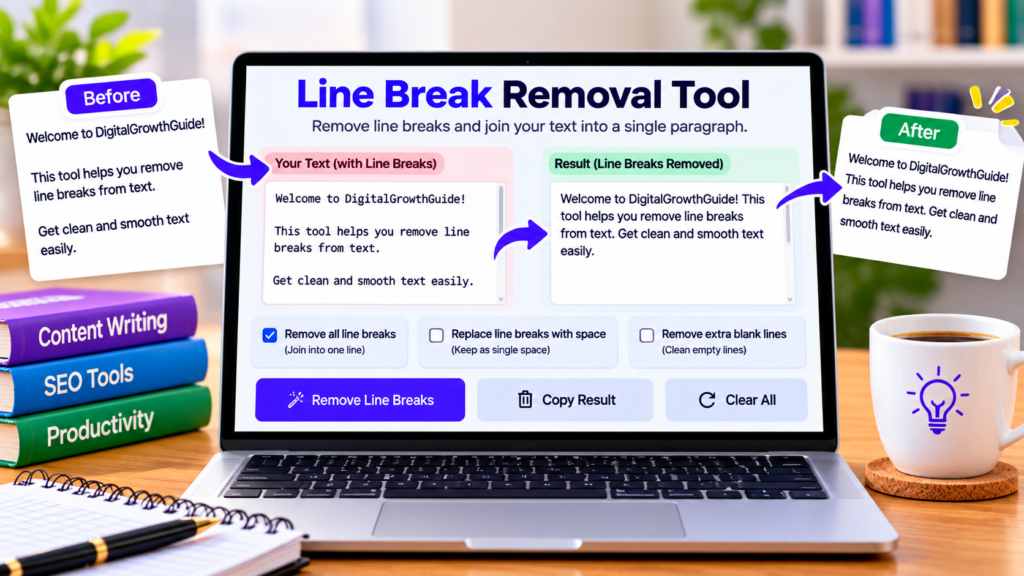
Have you ever copied text from a PDF, website, email, or document and found that every sentence appears on a separate line? Unwanted line breaks can make text difficult to read and inconvenient to reuse. Our free line break removal tool helps you clean up copied text, join lines into paragraphs, and remove unnecessary line breaks in seconds.
Paste your content into the tool, select the formatting option you need, and copy the cleaned result. It is a convenient solution for students, bloggers, content writers, and anyone who regularly works with text.
Free Line Break Removal Tool
Remove unwanted line breaks and clean up copied text in seconds.
Tip: Use “single space” for copied article text. Choose “preserve paragraph breaks” if you want to keep separate paragraphs.
Paste your text and choose a line break option.
What Is a Line Break Removal Tool?
A line break removal tool is an online text utility that changes how line breaks are handled in a block of text. Depending on the selected option, it can replace line breaks with spaces, join lines within paragraphs, remove empty lines, or remove line breaks entirely.
This is especially useful when copied content contains unwanted line breaks caused by PDF extraction, narrow document layouts, or text formatting from another application.
For example, text that appears as several short lines can be converted into a continuous paragraph, making it easier to edit and reuse.
How to Remove Line Breaks Online
Using this line break removal tool is simple:
- Paste or type your text into the input box.
- Choose how you want line breaks to be handled.
- Click Remove Line Breaks.
- Review the cleaned text in the output box.
- Select Copy Clean Text to copy the result.
- Use Clear All when you want to process new content.
The tool offers multiple modes so you can choose between joining all lines, preserving paragraph breaks, removing blank lines, or deleting every line break without inserting spaces.
Different Line Break Removal Options
Replace line breaks with a single space
Choose this option when you want to convert multiline text into a single continuous paragraph. Line breaks are replaced with spaces, helping prevent words from running together.
This mode is useful for copied article text, notes, and content extracted from documents.
Preserve paragraph breaks
Sometimes, text contains legitimate paragraphs but also unwanted line breaks inside each paragraph. This option joins lines within a paragraph while preserving paragraph separation.
It can help restore readable text without combining every paragraph into one large block.
Remove blank lines only
Use this option when your text is already arranged correctly but contains too many empty lines. It removes blank lines while preserving the remaining line breaks.
Remove all line breaks
This option deletes line breaks without adding spaces. It may be useful for specially formatted text, but it can join words together when a break occurs between them. Review the output carefully before using it.
Who Can Benefit From a Line Break Remover?
Students: Clean text copied from online study materials, notes, and documents before editing.
Bloggers and content writers: Reformat copied text and prepare drafts for editing or publishing.
Researchers: Organize text extracted from reports and digital documents.
Office professionals: Clean up text before pasting it into emails, spreadsheets, forms, and documents.
Website owners: Prepare text for content editors and other online publishing tools.
Why Are Line Breaks Sometimes Unwanted?
Line breaks are useful when separating paragraphs, list items, headings, and addresses. However, some documents wrap text into short lines for layout reasons. When copied elsewhere, those line breaks may remain even though the new document has a different width.
Removing unnecessary breaks can improve readability and reduce manual editing. However, not every line break is unwanted. Preserve meaningful paragraph boundaries, list structure, and formatting whenever they are important to the original content.
Is This Online Tool Safe to Use?
The tool processes text in your browser, and its code does not intentionally upload your text to a server. Other website components may operate independently, so avoid entering confidential information unless you understand the website’s privacy practices.
Frequently Asked Questions
Is the line break removal tool free?
Yes. You can use the text-cleaning options on this page without paying for the tool.
Can I convert multiple lines into one paragraph?
Yes. Select the option to replace all line breaks with a single space.
Can I keep paragraph breaks?
Yes. Choose the preserve paragraph breaks option to join lines within paragraphs while keeping separate paragraphs.
Will removing line breaks change my words?
The tool changes line breaks and surrounding whitespace according to the selected mode. It does not intentionally rewrite words, but the “remove all line breaks” mode can join words together. Always review the result.
Does the tool work on mobile devices?
The interface is designed to adapt to modern mobile and desktop browsers.
Conclusion
Our free online line break removal tool helps you clean copied text and choose how line breaks should be handled. Whether you want to join lines into a single paragraph, preserve paragraphs, or remove blank lines, select the mode that suits your content and review the result before copying it.
Explore More Free Text Tools
Clean, format, and organize your text with these useful online tools.
Explore All Free Tools →