
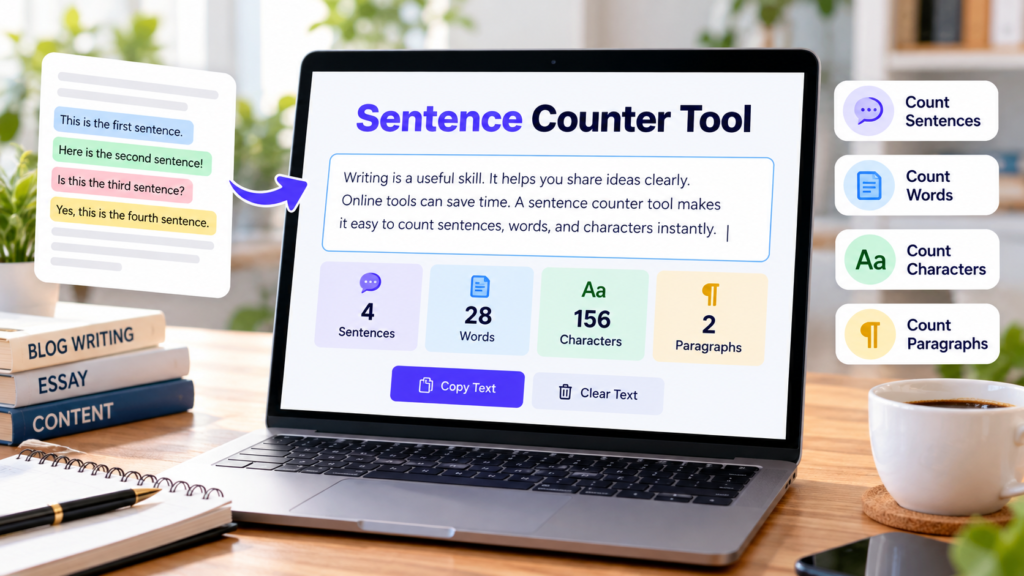
A sentence counter tool is a simple online utility that helps you count the number of sentences in your text quickly and easily. Whether you are writing an essay, preparing a blog post, editing an email, or creating website content, knowing your sentence count can help you organize your writing more effectively.
With the free Sentence Counter Tool from DigitalGrowthGuide, you can paste or type your text and instantly view the estimated number of sentences, words, characters, and paragraphs. You do not need to count sentences manually or create an account to use the tool.
Free Sentence Counter Online
Paste or type your text below to count sentences, words, characters, and paragraphs instantly. No registration required.
Sentence counts are estimates. Abbreviations, decimal numbers, and unusual punctuation may affect the results. Your text is analyzed locally in your browser by this tool.
What Is a Sentence Counter Tool?
A sentence counter tool analyzes written text and estimates how many sentences it contains. Sentences generally end with punctuation marks such as periods, question marks, and exclamation marks.
For example, consider this text:
“I enjoy writing articles. Online tools save time. Clear writing helps readers.”
This example contains three sentences. Instead of counting each sentence yourself, you can use an online sentence counter to get the result automatically.
The tool can be useful for students, teachers, bloggers, content writers, copywriters, and professionals who regularly work with written content.
How to Use Our Free Sentence Counter Tool
Using our sentence counter tool is straightforward. Follow these steps:
- Open the Sentence Counter Tool on DigitalGrowthGuide.
- Copy the text you want to analyze.
- Paste your content into the text box.
- Check the sentence, word, character, and paragraph counts.
- Edit your text and watch the results update automatically.
- Use the Copy Text button to copy your content or Clear Text to start again.
The tool is designed to work in modern desktop and mobile browsers, making it convenient to check your writing wherever you work.
Benefits of Using an Online Sentence Counter
1. Save Time While Writing
Counting sentences manually can be time-consuming, especially when working with lengthy articles, essays, or reports. A sentence counter tool provides a quick estimate and lets you focus on improving your content.
2. Improve Paragraph Structure
Long paragraphs can sometimes be difficult to read. Checking sentence and paragraph counts can help you identify sections that may need editing or clearer organization.
There is no universal rule for the ideal number of sentences in a paragraph. The best length depends on your topic, audience, and writing style.
3. Support Academic Writing
Students can use a sentence counter when preparing assignments, essays, summaries, and research reports. It helps them review their writing structure and understand how their ideas are organized.
However, always follow the formatting and writing requirements provided by your school, college, or instructor.
4. Make Blog Posts Easier to Read
Bloggers and website owners need content that communicates information clearly. A sentence counter tool can help review articles and identify sections that might benefit from shorter or better-organized sentences.
It does not measure writing quality directly, but it can support a more effective editing process.
5. Review Business and Professional Documents
Emails, reports, product descriptions, and business proposals often need clear and concise communication. Checking sentence counts can help you review the length and structure of your writing before sharing it.
Sentence Count vs. Word Count and Character Count
Sentence count, word count, and character count measure different aspects of text.
- Sentence count: Estimates the number of sentences.
- Word count: Counts groups of text separated by whitespace.
- Character count: Counts characters, including spaces and punctuation.
- Paragraph count: Counts text blocks separated by blank lines.
Our sentence counter tool displays these measurements together, helping you understand your content more easily.
For example, the sentence “Writing online is convenient.” contains one sentence. Its word and character counts provide additional information about the length of that sentence.
Is the Sentence Counter Tool Accurate?
Automatic sentence counting is useful, but it is not perfect for every type of text. Abbreviations, decimal numbers, unusual punctuation, and mixed-language writing can affect the results.
For example, a title containing an abbreviation may include a period that does not mark the end of a sentence. A basic counting method might interpret that punctuation incorrectly.
Our tool uses browser sentence segmentation when available and a simpler punctuation-based method as a fallback. Therefore, results should be treated as estimates, especially when analyzing complex documents.
Frequently Asked Questions
Is the sentence counter tool free?
Yes. You can use the DigitalGrowthGuide sentence counter tool without paying or registering for an account.
Can I count sentences in a paragraph?
Yes. Paste your paragraph into the text box to see its estimated sentence count instantly.
Can this tool count words and characters too?
Yes. Along with sentences, the tool displays word count, character count, and paragraph count.
Can I use the tool on my phone?
Yes. The tool is designed for modern mobile and desktop browsers.
Is my text uploaded to a server?
The sentence-counting code processes your text locally in your browser and does not send the entered text to a server. Other website services may operate separately, so consult the Privacy Policy for broader website privacy information.
Start Counting Sentences Online
A sentence counter tool makes it easier to review written content without counting every sentence manually. Whether you are a student, blogger, teacher, or business professional, it can help you check sentence counts and review your text structure.
Try the free Sentence Counter Tool on DigitalGrowthGuide to count sentences, words, characters, and paragraphs in one convenient place.
Explore More Free Writing Tools
Try these helpful tools from DigitalGrowthGuide:
Helpful Writing and Grammar Resources
Explore these trusted resources to improve your writing and understand sentence structure.
- Purdue OWL – Grammar — Learn about grammar, sentence structure, and writing conventions.
- Britannica Dictionary – Grammar — Review grammar concepts and how language is structured.
- Merriam-Webster – Grammar and Usage — Explore practical explanations of grammar and writing usage.
Explore More Free Tools
Discover more useful online tools for your everyday tasks.
Explore All Tools →