
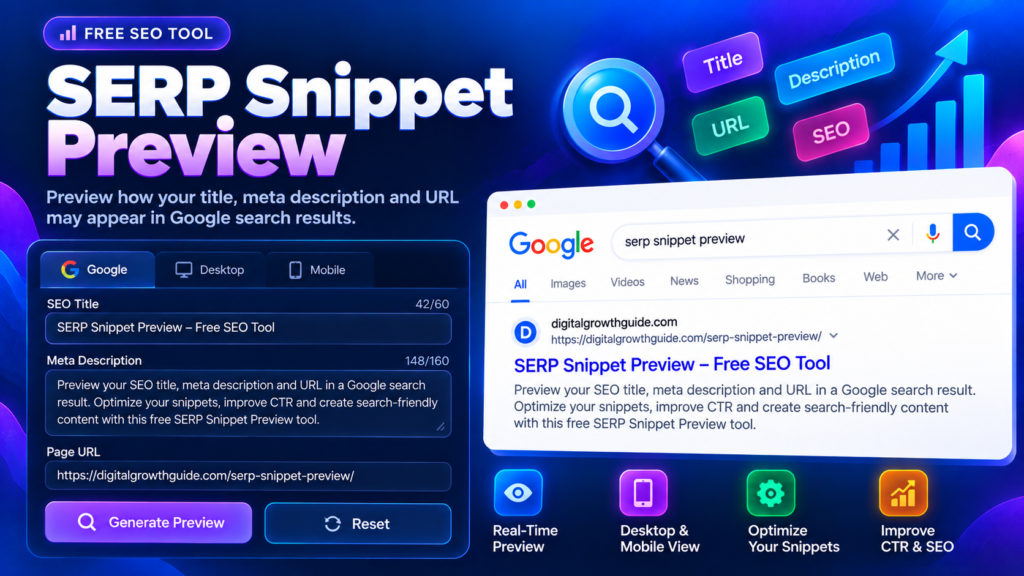
A SERP Snippet Preview helps you see how your page title, URL, and meta description might appear in a search result. Before publishing a page, you can review the wording, spot awkward text, and make sure the snippet clearly communicates what visitors will find. This free tool gives you a convenient way to check your search-result presentation without opening a separate SEO dashboard.
A preview is an editorial guide, not a guarantee of what Google will display. Search engines can change or shorten title links and snippets depending on the query, device, and content available on the page.
SERP Snippet Preview
Preview your page title, meta description and URL in a simulated search result. Refine your wording to make your page clear and relevant before publishing.
Enter a full URL to preview its address.
Enter a title, description and URL to update the preview.
Important: This is a simulated preview, not an exact Google result. Google may generate a different title or snippet depending on the query, device, and page content. Character counts and visual layout are guides, not ranking guarantees.
What Is a SERP Snippet Preview?
A SERP snippet is the information displayed for a webpage in a search result. It commonly includes a title link, a displayed URL or breadcrumb, and a short text snippet. A SERP Snippet Preview tool combines these elements in a simulated layout so you can review them together.
This matters because each element contributes to how people understand a result. A useful title describes the page, while a relevant description gives searchers more context. A readable URL can also help users recognize the page they are about to visit.
How to Use This Google SERP Preview Tool
Using this Google SERP preview tool is straightforward:
- Enter your proposed SEO title.
- Add the meta description you plan to use.
- Enter the full URL of the webpage.
- Select the desktop or mobile preview.
- Generate the preview and review the complete presentation.
- Edit the wording and copy the snippet text for your SEO workflow.
The preview updates as you type, allowing you to compare versions quickly. Use it when preparing blog posts, product pages, landing pages, service pages, or other important URLs.
SEO Snippet Preview: Why It Matters
An SEO snippet preview helps you review your title and description as a pair instead of treating them as separate fields. The title should tell searchers what the page covers. The description should provide a useful summary without simply repeating the title.
For example, a page about a free image tool should explain what visitors can do with that tool. Avoid vague wording or promises that the actual page does not fulfil. Clear, accurate information helps set expectations before someone clicks.
Google may use your meta description to form a search snippet, but it can also select text from the page itself when that better matches the query. Read Google’s guidance on controlling search snippets for more details.
Search Result Preview Tool for Desktop and Mobile
A search result preview tool can help you assess how your content looks at different widths. A title or description that appears comfortable on a wide screen may wrap differently on a narrow mobile display.
Use both previews to look for long wording, unclear phrases, and important information placed too late. This tool simulates desktop and mobile layouts; it does not reproduce every Google interface or predict the exact display width Google will use.
There is no universal character count that guarantees an entire title or description will appear. Focus on relevance and readability rather than trying to meet an arbitrary number.
How to Improve Your Search Snippet
Start by writing a title that accurately describes the page. Include the main topic naturally and avoid repeating similar keywords just to make the title sound more optimized. Write a page-specific description that explains what the visitor will learn, compare, or accomplish.
Keep the title, page heading, description, and actual content consistent. If a snippet promises a feature or result that the page does not provide, visitors may leave disappointed. A preview should help you improve communication, not encourage keyword stuffing or exaggerated claims.
For a broader on-page SEO workflow, use the Meta Title Length Checker, the Meta Description Length Checker, and the Keyword Density Checker. These tools help review different parts of your content, but none can guarantee higher rankings.
Common Snippet Preview Mistakes
Avoid using the same title and description for every page. Do not fill either field with repeated keyword variations, and do not rely on the preview as proof of how Google will display a result. Always check that the URL belongs to the correct page and that your wording matches the content visitors will see.
Google’s SEO Starter Guide offers additional advice on making website content understandable and useful.
Frequently Asked Questions
Does this SERP preview tool show the exact Google result?
No. It simulates the layout to help you edit your snippet. Google may generate different title links or descriptions depending on the page and query.
Should I write a unique meta description for every page?
For important pages, unique and relevant descriptions are a useful practice. They help communicate the purpose of each page more clearly.
Does a better preview guarantee more clicks?
No. A clear snippet may help people understand the result, but click-through rate depends on many factors, including the query, competition, and searcher’s intent.
Final Thoughts
Use the SERP Snippet Preview before publishing or updating an important page. Review the title, URL, and meta description together, compare desktop and mobile layouts, and refine text that is unclear or repetitive. A helpful, accurate snippet sets better expectations for visitors while supporting a thoughtful on-page SEO process.
Related SEO Tools
Explore related tools to improve your on-page SEO workflow.
- Meta Title Length Checker — Review your title’s character count and estimated width.
- Meta Description Length Checker — Check the length and readability of your description.
- Keyword Density Checker — Review how frequently keywords appear in your content.
- Internal Link Planner — Organize relevant links between your website pages.
- Slug Generator — Create concise, readable URL slugs.
Trusted External SEO Resources
- Google Search Central: Control Your Snippets — Learn how Google generates search result snippets.
- Google Search Central: Title Link Best Practices — Understand how search result title links are generated.
- Google SEO Starter Guide — Review Google’s general search optimization guidance.