
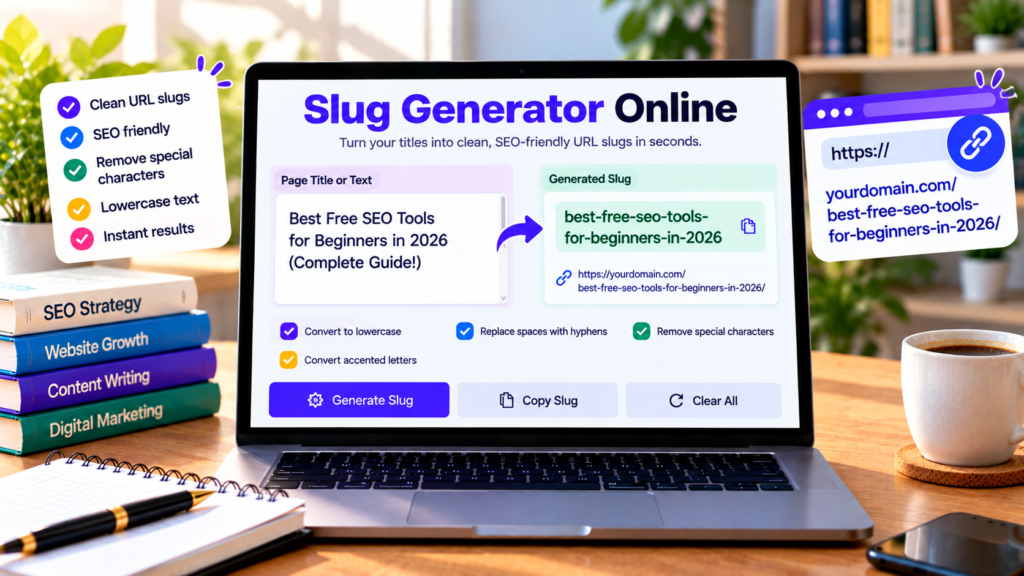
Creating a clear URL is an important step when publishing a blog post, website page, or online resource. A long title with spaces and punctuation may not be suitable for a clean URL. Our free slug generator helps you turn titles into readable URL slugs quickly, without manually editing every character.
Enter your title, generate a slug, review the result, and copy it for use in your website’s permalink settings. This tool is useful for bloggers, SEO professionals, website owners, and content creators.
Free Online Slug Generator
Turn titles into clean, readable URL slugs for websites and blog posts.
Enter a domain to preview the URL. Do not include a page path.
Enter a title and generate your slug.
What Is a URL Slug?
A URL slug is the part of a web address that identifies a particular page. For example, in https://example.com/free-seo-tools/, the slug is free-seo-tools.
A readable slug helps people understand what a page is about before opening it. Many websites use lowercase letters and hyphens to separate words in URLs.
A slug generator automates common formatting steps, such as converting text to lowercase, removing punctuation, and replacing spaces with hyphens.
How to Use the Slug Generator
Using this free slug generator online is simple:
- Enter or paste your page title into the text box.
- Review the automatically generated slug.
- Check the optional accented-character setting if needed.
- Enter your domain to preview the complete URL.
- Review the character, word, and hyphen counts.
- Select Copy Slug to copy the result.
- Paste the slug into your website’s permalink settings when creating or editing a page.
For example, the title “Best Free SEO Tools for Beginners” can become best-free-seo-tools-for-beginners.
Why Are SEO-Friendly URL Slugs Important?
Improve readability: Clear slugs help visitors understand a page’s topic from its URL.
Keep URLs organized: Consistent formatting makes it easier to manage page addresses across a website.
Support descriptive links: A meaningful slug can provide useful context when someone sees or shares a URL.
Reduce manual work: A slug generator removes the need to replace spaces and punctuation manually.
A clean slug alone does not guarantee higher search rankings. Search engines consider many signals, including page quality, relevance, and how well the content satisfies the user’s needs.
Best Practices for Creating URL Slugs
Keep slugs descriptive
Choose words that clearly describe the page. Avoid vague slugs that do not communicate the content’s purpose.
Use hyphens between words
Hyphens improve readability by separating words. For example, online-word-counter is easier to read than onlinewordcounter.
Prefer lowercase letters
Lowercase slugs provide consistent formatting and help avoid unnecessary differences between URLs.
Avoid unnecessary words and punctuation
Keep the slug focused on the page topic. Remove punctuation and unnecessary filler where appropriate, without making the URL confusing.
Avoid changing established URLs unnecessarily
If a page is already published, indexed, or linked elsewhere, changing its slug can break existing links. If a URL change is necessary, set up an appropriate permanent redirect and update internal links.
Who Can Benefit From a Slug Generator?
Bloggers: Create readable slugs for articles, tutorials, reviews, and guides.
SEO professionals: Standardize URL formatting across content projects.
WordPress users: Prepare slugs for pages and posts before publishing them.
E-commerce website owners: Create descriptive URL paths for relevant product or category pages.
Digital marketers: Generate consistent slugs for landing pages and other online content.
How Does This Slug Generator Work?
The tool takes the title you enter and applies common URL-formatting rules. It converts text to lowercase, removes or separates unsupported punctuation, and replaces spaces or repeated hyphens with a single hyphen.
The optional normalization setting helps convert many accented Latin characters into their basic forms. Other writing systems may retain their own letters, so always review the result for your intended URL format.
The tool generates a suggested slug; it does not publish the page or change your website’s permalink automatically.
Frequently Asked Questions
Is the slug generator free?
Yes. You can use the slug generation and copy features on this page without paying for the tool.
Does a slug generator improve SEO automatically?
No. A descriptive URL can improve readability, but it cannot guarantee better rankings. Useful content, accessibility, internal links, and other SEO factors remain important.
Can I use the generated slug in WordPress?
Yes. Copy the result and paste it into the page or post’s permalink field. Check the final URL before publishing.
Should I change an existing URL slug?
Only when there is a good reason. If you change a published URL, use an appropriate redirect and update links that point to the old address.
Does the tool publish my URL?
No. It generates and previews a slug. You must apply it in your website’s content management system.
Conclusion
Our free online slug generator helps you create clean, descriptive URL slugs from page titles in seconds. Generate a slug, review the format, and copy it into your website settings. For the best results, choose a readable slug that accurately describes your page and avoid unnecessary URL changes after publication.
Explore More Free SEO and Text Tools
Prepare your website content with these useful online tools.
Explore All Free Tools →