
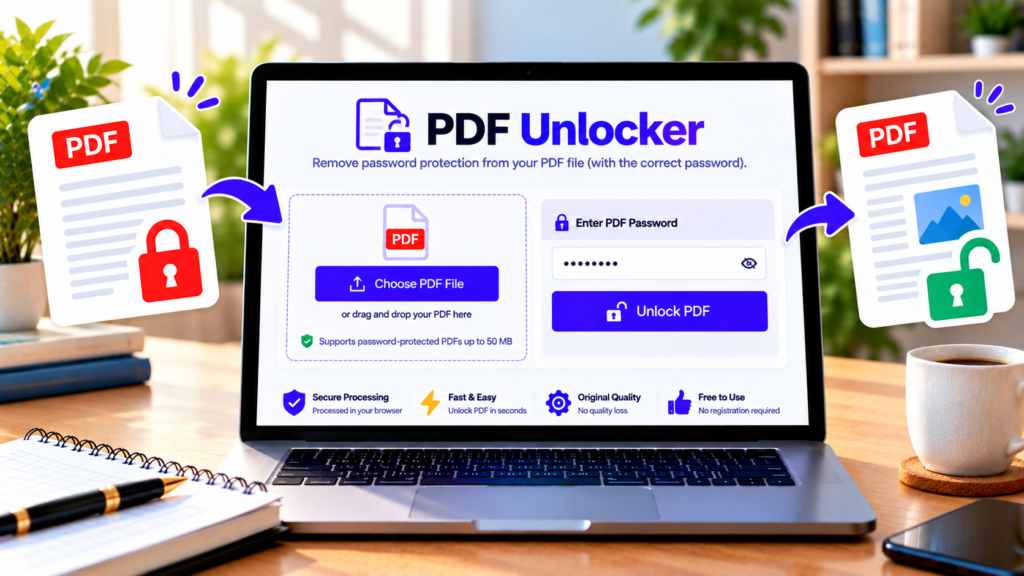
Need to open or edit a PDF without repeatedly entering its password? The PDF Unlocker on DigitalGrowthGuide helps you remove password protection from a PDF when you have the correct password. Upload your document, enter its existing password, and process the file to create an unlocked copy.
The tool is designed for browser-based processing, helping you work with documents without intentionally uploading them to a separate PDF-processing server. Always verify the result before relying on it.
Free PDF Password Remover
Remove password protection from your PDF files securely in your browser.
Choose a file or drag and drop it here.
PDF only · Maximum file size: 50 MB
Enter the password required to open this document.
Decryption runs 100% locally in your browser using Web Crypto. Your files never leave your device.
How to Unlock a PDF Online
Follow these steps to remove password protection from a PDF you are authorized to access.
Step 1: Select your PDF file. Open the PDF Unlocker and choose the password-protected PDF from your device. The tool accepts PDF files up to the displayed 50 MB limit.
Step 2: Enter the existing password. Type the password required to open your document. Make sure the password is correct, including capitalization and special characters.
Step 3: Unlock the PDF. Select the Unlock PDF button. The browser-based PDF engine attempts to open the encrypted document and create an unencrypted copy.
Step 4: Download the result. When processing succeeds, download the unlocked PDF. Open it in a PDF reader and confirm that it no longer requests the original password.
If the process fails, check the password, try a valid copy of the PDF, or see whether the browser can load the required PDF engine.
What Is a PDF Unlocker?
A PDF Unlocker is a tool that removes password-based encryption from a PDF when the appropriate password is supplied. Some PDF files require a password before their contents can be opened. Other PDFs may open normally but restrict actions such as printing, copying, or editing.
These are different security situations. Removing an opening password generally requires the correct password. Removing permission restrictions may require the document’s owner password or authorization, depending on the PDF and its encryption settings.
This tool is intended for legitimate document access—not for guessing unknown passwords or bypassing protections without permission.
Features of Our PDF Unlocker
Simple workflow: Choose a PDF, enter its existing password, and process it through a straightforward interface.
Browser-based processing: The intended implementation uses WebAssembly to run the PDF engine in the browser. Your document should not need to be uploaded to an external processing service. This depends on the deployed implementation and its dependencies loading correctly.
Downloadable output: Save the processed document as a separate PDF, leaving your original file unchanged.
Clear error messages: Incorrect passwords, unsupported encryption, damaged files, and engine-loading problems can cause processing to fail. The tool should report failures rather than presenting an unsuccessful operation as complete.
No account required: The tool is designed for direct use without creating an account.
Is It Safe to Unlock a PDF Online?
Privacy matters when working with invoices, statements, contracts, or personal documents. Browser-based processing can reduce exposure because the file can remain on your device. However, you should verify the actual implementation and confirm that the PDF is not being transmitted elsewhere.
Use the tool only with documents you own or are authorized to modify. Avoid using unfamiliar online services for highly confidential files unless you have verified their privacy and security practices.
After unlocking, store the new PDF securely if its contents are sensitive. Removing a password also removes an important layer of protection, so do not share the unprotected copy publicly by accident.
Frequently Asked Questions
Can I unlock a PDF without knowing its password?
This tool requires the correct existing password. It is not designed to recover unknown passwords or brute-force encrypted documents.
Does unlocking change the PDF content?
The purpose is to remove encryption, not intentionally rewrite the document’s content. Nevertheless, validate important files after processing, especially documents containing forms, signatures, or specialized features.
Will the unlocked PDF have the same quality?
The tool is designed to preserve PDF content while removing encryption. Complex or unusual files may behave differently, so compare the output with the original before using it for important work.
Why did unlocking fail?
Common causes include an incorrect password, unsupported encryption, a damaged PDF, a file-size limit, or a WebAssembly loading error. Try another valid copy and check whether the PDF engine has loaded successfully.
Is the PDF Unlocker free?
The tool is intended to be available free of charge. Check the page for the current usage limits and supported file size.
Unlock Your PDF
Use DigitalGrowthGuide’s PDF Unlocker to create an unprotected copy of a PDF when you know the correct password. Download the result, verify that it opens correctly, and keep sensitive documents secure after removing their protection.
Helpful PDF Resources
- PDFStudio on GitHub – Documentation for the browser-based PDF toolkit and its unlock API.
- QPDF Documentation – Learn about opening password-protected PDFs and PDF decryption.
- QPDF Encryption Guide – Background on PDF encryption and security.