
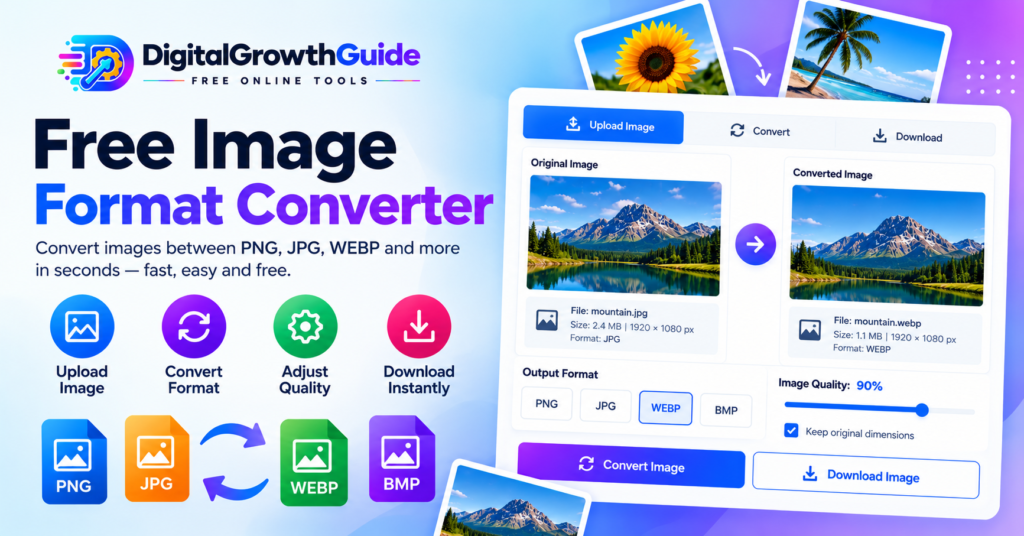
Free Online Image Format Converter
Convert PNG, JPG, and WebP images instantly in your browser. Fast, private, and 100% free with no file uploads to external servers.
How to Convert Images Online in 3 Simple Steps
Upload Image
Click "Browse Files" or drag and drop your graphic into the upload box. Supported formats include PNG, JPG, WebP, GIF, and BMP.
Choose Output Format
Select WebP for modern web performance, JPEG for photographs, or PNG for lossless transparency. Adjust quality and optional dimensions as needed.
Convert & Download
Click "Convert Image Now" to process the graphic instantly in your browser. Inspect the side-by-side preview and click Download to save your optimized file.
Why Use the DigitalGrowthGuide Image Converter?
100% Client-Side Privacy
Your graphics are processed locally via your browser's native Canvas API. Files are never uploaded to remote servers, safeguarding sensitive business and personal data.
Zero Wait Times
Enjoy lightning-fast conversions without waiting in server queues, encountering upload throttling, or hitting arbitrary daily conversion limits.
Lossy & Lossless Control
Fine-tune the compression quality slider for WebP and JPEG exports to balance sharp visual fidelity with low byte weight.
Universal Compatibility
Fully optimized for desktop monitors, laptops, iPads, tablets, and smartphones running Chrome, Safari, Edge, or Firefox.
Complete Guide to Image Format Conversion: PNG vs. JPG vs. WebP
High-performing digital assets are the cornerstone of search engine visibility, fast user experiences, and high conversion rates. Whether managing an e-commerce catalog, publishing editorial content, or building landing pages, serving the correct image file format directly impacts page load speeds and Core Web Vitals. Our image format converter lets you effortlessly switch between modern formats online without installing heavyweight desktop software.
What Does an Image Format Converter Do?
An image format converter decodes visual raster data from one file encoding (such as PNG or JPEG) and re-encodes that data into a different container format (such as WebP). Unlike simply renaming a file extension—which leaves the underlying byte stream unaltered and leads to browser rendering errors—a genuine converter reconstructs the pixel matrix using browser graphic pipelines.
Need to adjust visual dimensions or crop visual margins prior to format conversion? Pair this tool with our dedicated Image Resizer and Image Cropper utilities to prepare assets for publishing.
Comparing Web Graphics: PNG vs. JPEG vs. WebP
Selecting the correct image format requires balancing visual clarity, compression efficiency, and alpha transparency:
| Format | Compression Type | Alpha Transparency | Best Suited For |
|---|---|---|---|
| PNG | Lossless | Yes (Full 8-bit Alpha) | Logos, diagrams, UI badges, vector exports, sharp text |
| JPEG / JPG | Lossy | No (Solid fill only) | Photography, full-bleed hero banners, intricate gradients |
| WebP | Both (Lossy & Lossless) | Yes | Modern websites, blogs, e-commerce, high Core Web Vitals scores |
Why Convert to WebP for Search Engine Optimization?
WebP is developed by Google to provide superior lossy and lossless compression for web images. According to Google developers, WebP lossy images are typically 25% to 34% smaller than comparable JPEG images, and WebP lossless files are 26% smaller than standard PNGs. Converting your bulky PNG or JPEG files into WebP reduces Largest Contentful Paint (LCP) latency, saving mobile bandwidth while maintaining crisp retina displays.
Understanding Transparency When Converting to JPEG
One of the most frequent surprises for web creators occurs when converting a transparent PNG or WebP graphic into a JPEG. Because the JPEG specification contains no alpha channel, pixels without color information must be assigned a solid background color. In canvas conversions, transparent areas without background fills default to black. Our converter automatically applies a clean, solid white background before flattening to JPEG, ensuring your transparent logos, icons, and product cutouts remain visually appealing.
Optimizing File Size Without Sacrificing Visual Quality
When converting photographs to JPEG or WebP, setting the quality slider between 80% and 90% achieves a near-indistinguishable visual result while discarding high-frequency pixel data that balloons file size. For document workflow optimization alongside your visual assets, consider using our PDF Compressor to streamline marketing presentations or our PDF Text Extractor for content repurposing.
Client-Side Privacy and In-Browser Security
Traditional online converters require uploading your proprietary photos, sensitive company charts, or personal documents to a remote cloud server. The DigitalGrowthGuide converter executes 100% of the image rendering within your web browser using HTML5 Canvas technology. No image bytes travel over the internet to external hosts, guaranteeing confidentiality, GDPR compliance, and immediate results. Discover our full suite of productivity utilities on the DigitalGrowthGuide Homepage.
Frequently Asked Questions
Will converting from PNG to WebP reduce image quality?
When selecting our default 90% quality setting, the difference is visually indistinguishable to the human eye while cutting file weight by up to 50%–70%. If absolute mathematical perfection is needed for line art or typography, PNG remains lossless.
What happens if I convert an animated GIF with this tool?
Standard browser canvas implementations capture and export the first frame of an animated GIF as a high-resolution static PNG, JPG, or WebP. Full multi-frame GIF animation rendering requires server-side encoding libraries.
Why does my transparent PNG have a white background after converting to JPG?
The JPEG format does not support transparency (alpha channels). Our converter automatically composites transparent pixels against a clean white background to prevent the image from turning solid black.
Are my images saved or viewed by DigitalGrowthGuide?
No. Your images are decoded, transformed, and downloaded entirely inside your web browser. Nothing is uploaded to our servers or stored anywhere in the cloud.